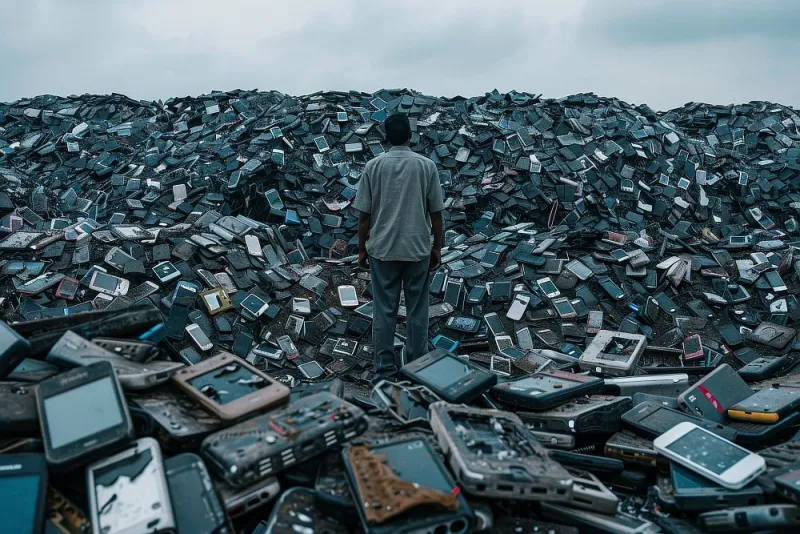
Dead Apps Walking: How to Evict the Digital Squatters Living on Your Phone
Photo: smartphone screen cluttered apps icons organizing digital cleanup, via minimalisthome.ca
Open your app drawer right now. Go ahead — scroll all the way down. Somewhere in there, sandwiched between your banking app and a podcast player you actually use, you'll probably find it: the QR code scanner from 2021, the fitness tracker you downloaded for a New Year's resolution that didn't survive February, the food delivery app from a city you visited once. They're just sitting there. Waiting. Not doing much — except, quietly, kind of doing a lot.
These are zombie apps. They're not alive in any meaningful sense, but they're not fully gone either. And the longer they squat on your device, the more they cost you — in storage, in battery, and sometimes in ways that are a lot harder to see.
What Makes an App a Zombie?
The term sounds dramatic, but it fits. A zombie app is any application that's been functionally abandoned — either by you, by its developer, or both. There are a few distinct flavors:
Apps you forgot you installed. These are the most common. You downloaded something for a specific one-time purpose — scanning a document, splitting a check at dinner, following along with a limited-time event — and then completely forgot about it. It never got deleted. It just lingered.
Apps the developer stopped updating. This one's sneakier. The app still works, technically. You might even open it occasionally. But the team behind it stopped pushing updates months or years ago, meaning known security vulnerabilities never got patched. The app store listing still exists, but the project is functionally dead.
Apps that aged out of relevance. Remember when everyone had a separate app for their cable company's DVR remote? Or a standalone app for a streaming service that later got folded into a bigger platform? These apps didn't disappear — they just became obsolete while still taking up space.
Each type comes with its own risks, and most phones are carrying all three.
The Real Cost of Digital Clutter
Storage is the obvious one. A handful of forgotten apps might not seem like a big deal, but they add up fast — especially when you factor in cached data, offline content, and background sync files that accumulate over time. That food delivery app you haven't opened since 2022? It might be holding onto gigabytes of cached images and location history that you never explicitly asked it to save.
Battery drain is less obvious but just as real. Many apps — even ones you haven't opened in weeks — run background processes to check for notifications, refresh content, or sync data. Your phone's operating system tries to limit this, but it's an imperfect system. Zombie apps are essentially freeloaders on your battery budget.
The security angle is the one that deserves the most attention and gets the least. An app that hasn't been updated since 2020 is running on old code. That old code may contain vulnerabilities that have since been publicly disclosed — meaning anyone who knows where to look can potentially exploit them. The app still has whatever permissions you granted it when you installed it: your location, your contacts, your camera. Those permissions don't expire just because the developer stopped caring.
Why Developers Abandon Apps (And Why It Matters)
It's worth understanding why apps end up in this state, because it shapes how you think about your phone's ecosystem.
Some apps get abandoned because the company behind them ran out of money. Startups fail all the time, and when they do, their apps don't always get a formal sunset — they just quietly stop receiving support. Others get acquired, and the acquiring company decides the product doesn't fit their roadmap. The app stays up in the store, orphaned, until enough users complain or Apple and Google eventually pull it for inactivity.
Independent developers face a different version of this. Someone builds a genuinely useful utility app, life gets busy, priorities shift, and suddenly a two-year gap in updates is just... the reality. The developer isn't malicious. They're human. But the outcome for users is the same: an app running on outdated code with no one actively maintaining it.
The app stores have gotten better about flagging this — both Apple's App Store and Google Play now surface warnings when an app hasn't been updated in a significant period — but those warnings aren't always prominent, and plenty of zombie apps still fly under the radar.
How to Actually Find and Audit Your Zombie Apps
Here's a practical approach that doesn't require spending your entire Saturday staring at your phone.
Sort by last used. On iPhone, go to Settings > General > iPhone Storage. Apps are listed with the last time you used them right there in the interface. Anything with a "Last Used" date more than six months ago is a candidate for review. On Android, the process varies by manufacturer, but most versions of the OS allow you to sort installed apps by last used in the settings menu or through the Play Store's "Manage apps" section.
Check update history. In the App Store or Play Store, pull up the app's listing and look at the update history. If the last update was two or more years ago, treat that as a yellow flag — especially for apps that have any access to sensitive data.
Audit permissions while you're at it. iOS and Android both let you view all apps that have access to specific permissions — your location, microphone, camera, contacts — in one consolidated view. This is eye-opening. You'll almost certainly find apps with permissions you don't remember granting, for purposes that no longer make sense.
Ask yourself the replacement test. For each app you're on the fence about: if you deleted this right now and needed to accomplish what it does tomorrow, would you reinstall it or would you just use something else? If the answer is "something else," delete it today.
Building a Maintenance Routine That Sticks
One big cleanup session is satisfying, but the goal is keeping your phone from reverting to zombie territory over time.
A quarterly audit works well for most people — set a recurring reminder in your calendar for every three months. It doesn't need to be exhaustive. Even spending fifteen minutes sorting by last used and deleting the obvious stragglers makes a meaningful difference.
Get in the habit of intentional downloading. Before you install something, ask whether you actually need a dedicated app or whether the mobile website does the job just as well. A surprising number of apps are just wrappers around a web experience anyway — and a browser bookmark doesn't drain your battery or accumulate permissions.
Turn on automatic offloading if you're on iPhone. It's buried in Settings > App Store, but enabling "Offload Unused Apps" lets iOS automatically remove apps you haven't used while preserving your data and settings. It's not a perfect solution — it doesn't revoke permissions or clear cached data — but it's a reasonable safety net between manual audits.
Your Phone, Your Rules
There's something almost philosophical about the zombie app problem. We download things with intention, then let them accumulate through inertia. The app stores make installation frictionless by design — deletion requires a deliberate choice that we keep putting off.
But your phone is your primary computing device. It's where your financial information lives, where your location history is logged, where your most personal communications happen. Treating it like a junk drawer isn't just aesthetically messy — it's a genuine risk.
Clearing out the digital squatters isn't about being a minimalist. It's about staying in control of a device that knows an enormous amount about you. A leaner, more intentional app setup is a faster phone, a more secure phone, and — honestly — a less stressful one. Turns out, you don't miss the zombies once they're gone.