Gone Without Warning: What Really Happens When Your Favorite App Shuts Down
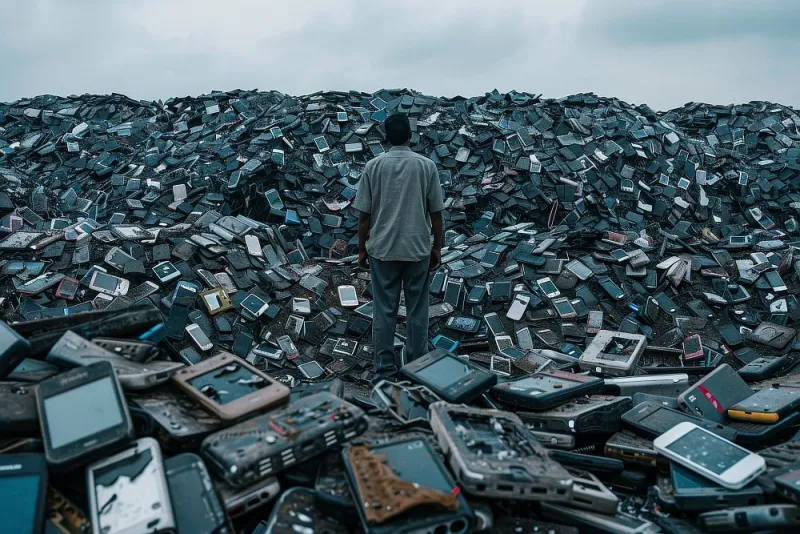
Photo: abandoned smartphone apps digital graveyard concept technology, via octobercalendar.info
Remember Sunrise Calendar? Or Wunderlist? Maybe you were one of the millions who had their morning routine quietly dismantled when Mailbox — the app that made email feel almost enjoyable — pulled the plug back in 2015. One day it was there, syncing your inbox, organizing your life. The next, it was gone. Just a blog post and a countdown timer standing between you and digital chaos.
This is the app graveyard, and it's more crowded than you think.
Mobile apps have a surprisingly brutal lifecycle. They launch with fanfare, maybe even a Product Hunt feature or a glowing write-up in a tech newsletter. Users pour their routines, their data, and sometimes real money into them. And then — for any number of reasons — the lights go out. Understanding why this happens, and what it means for you, is one of the most underrated parts of living a smart mobile life.
Why Apps Die: It's Rarely Just One Thing
The most common culprit is money, plain and simple. Building and maintaining an app is expensive. Server costs, developer salaries, customer support, constant OS updates every time Apple or Google drops a new version — it adds up fast. When revenue doesn't keep pace with overhead, the math eventually stops working.
But it's not always a slow bleed. Sometimes a small, scrappy app gets acqui-hired — meaning a bigger company buys it not for the product itself, but for the team behind it. Google, Meta, and Apple have all done this. The app gets sunset, the engineers get absorbed, and users are left holding the bag. Wunderlist is a textbook case: Microsoft acquired the team and built To Do as a replacement, but the transition was bumpy and plenty of loyal users felt abandoned.
Then there's the platform pressure problem. When Apple or Google decides to build a native version of something — think third-party keyboard apps after iOS added robust built-in options, or standalone flashlight apps before they were folded into the control center — independent developers suddenly find themselves competing against the operating system itself. That's a fight most can't win.
Regulatory headwinds are increasingly a factor too. Apps in the financial, health, and communication spaces face mounting compliance costs. A startup that launched lean in 2018 might not have the infrastructure to meet 2024 data privacy requirements. Shutting down can actually be the responsible choice.
Your Data Doesn't Just Disappear — But It Might
Here's the part nobody talks about enough: when an app closes, your data situation gets murky fast. In the best-case scenario, the company gives you weeks of advance notice and a clean export tool. In the worst case, you get a two-week warning email buried in your promotions folder, and then everything — your notes, your workout logs, your saved recipes — vanishes into the void.
Under laws like the California Consumer Privacy Act (CCPA) and various state-level equivalents, companies are technically required to handle your data responsibly during shutdown. But enforcement is inconsistent, and for a small startup going under, legal compliance may be the last thing on anyone's mind.
The practical reality is that most people don't export their data until it's too late. And even when they do, the exported files are often in formats that don't play nicely with competing apps.
The Warning Signs You're Already Ignoring
Apps rarely die without giving off signals first. The trick is knowing what to look for.
A sudden drop in update frequency is one of the clearest tells. If an app that used to push monthly updates has gone quiet for six months or more, something's off. Check the App Store or Google Play listing — when was the last update? Is it still compatible with the current OS version?
Social media silence is another red flag. When a company's Twitter or Instagram account goes dark, or starts posting generic content instead of product news, the team is probably heads-down dealing with something that isn't good.
Pricing changes can also signal trouble. A sudden shift to aggressive upselling, or conversely, a move to make everything free, often means a company is either desperate for revenue or preparing to shut down and trying to offload liability.
Finally, check the reviews. Users notice things. If the most recent App Store reviews are full of complaints about bugs that aren't getting fixed, take that seriously.
How to Future-Proof Your Mobile Life
The goal isn't to become paranoid about every app you use. It's to build habits that make you resilient when — not if — one of your go-to tools eventually goes away.
Diversify your dependencies. If one app holds your entire journaling history, your budget data, and your fitness records, you're overexposed. Spread critical data across a few tools, and favor apps that are backed by companies with proven staying power or strong open-source communities.
Export regularly, not just when you're scared. Most productivity and wellness apps have a data export feature buried somewhere in settings. Use it. Set a calendar reminder once a quarter to pull your data and drop it somewhere you control — a folder in Google Drive, a local hard drive, wherever works for you. Think of it like a backup for your backup.
Favor interoperability. Apps that use standard file formats (CSV, PDF, ICAL, and so on) are far easier to migrate away from than proprietary systems. Before you go deep on any new app, ask yourself: if this goes away tomorrow, can I get my stuff out?
Keep an eye on the business model. Free apps with no clear monetization strategy are higher risk than paid apps or those with transparent subscription models. That doesn't mean avoid free tools — just factor the risk into how much you rely on them.
Have a backup app ready. For your most critical tools — your to-do app, your password manager, your notes app — know what you'd switch to if it disappeared. You don't have to be using it actively. Just know the plan.
The Bigger Picture
There's something worth sitting with here beyond the practical tips. We invest real emotional energy in the apps we use daily. They shape how we manage our time, our health, our relationships. When they disappear, it's not just an inconvenience — it can feel like a small but genuine loss.
The app economy moves fast, and that's mostly a feature, not a bug. New tools emerge constantly, often solving problems the old ones couldn't. But that velocity comes with a cost, and right now, users are absorbing most of it.
The smartest thing you can do is stay curious, stay a little skeptical, and never let any single app become so load-bearing that you can't survive without it. Your digital life should be yours — not held in trust by a startup's runway.