Push, Buzz, Ping: How Apps Are Wired to Hijack Your Brain (and What to Do About It)
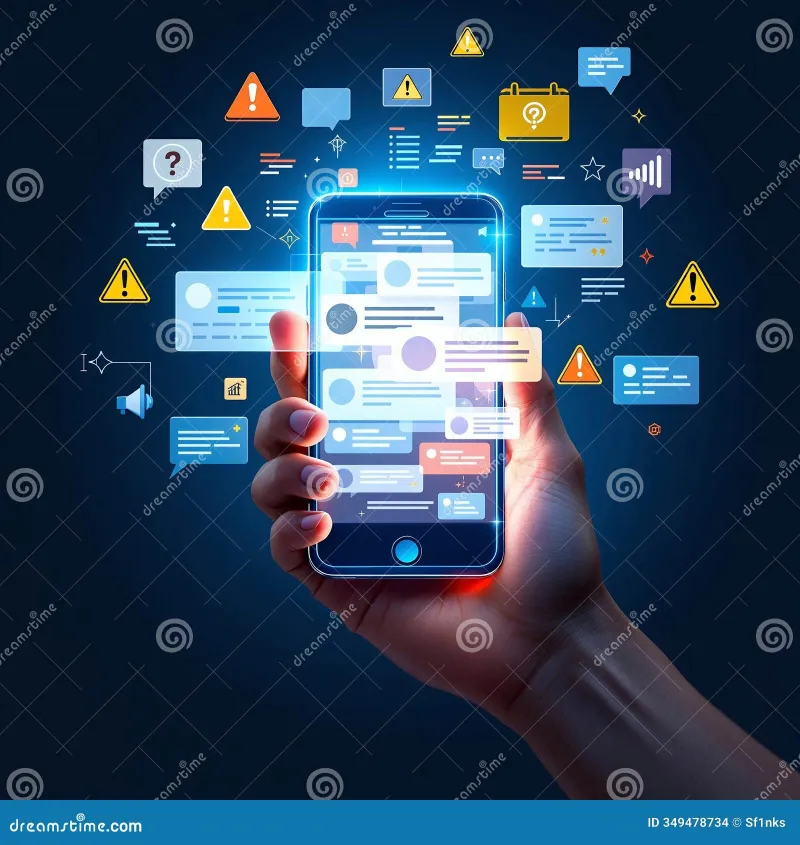
Photo: smartphone screen with multiple app notification alerts glowing, via thumbs.dreamstime.com
You pick up your phone to check the time. Forty-five minutes later you're deep in a Reddit thread about competitive cheese rolling in Gloucestershire. Sound familiar? That's not an accident. The path from "just checking the time" to total attention collapse is paved with push notifications — and the companies behind your favorite apps have spent millions of dollars making sure that path is as frictionless as possible.
Let's break down what's actually going on, which apps are the most aggressive about it, and how you can build a smarter notification setup without throwing your phone into the nearest lake.
The Psychology Behind the Ping
Push notifications are built on a behavioral concept called variable reward scheduling — the same psychological mechanism that makes slot machines so hard to walk away from. When you don't know whether a notification will be something exciting (a text from someone you like, a sale alert on something you actually want) or totally mundane (a reminder to "complete your profile"), your brain stays on edge waiting to find out. That uncertainty is the hook.
App developers and product teams know this. They study it, test it, and optimize for it. Notification timing, copy, and frequency are A/B tested the same way ad copy is. The goal isn't just to inform you — it's to trigger an open, a tap, a session. Your attention is the product being sold to advertisers, and notifications are the delivery mechanism.
That's not cynicism. That's just how the economics of free apps work in 2024.
The Usual Suspects: Apps That Push the Hardest
Not all apps are equally aggressive, but a few categories consistently earn the title of Worst Offenders:
Social media platforms — Instagram, TikTok, Facebook, and X (formerly Twitter) are essentially notification machines with content attached. They'll alert you when someone likes a post, when a friend joins, when a post you're not even tagged in starts getting traction. Instagram in particular has been documented turning notifications back on after users disable them during app updates.
News apps — Breaking news alerts are genuinely useful until every app is sending you five "DEVELOPING" notifications a day about stories that stopped developing three hours ago. CNN, Fox News, and many local news apps default to maximum alert settings on install.
Shopping and retail apps — Amazon, Target, Walmart, and especially fast-fashion apps like Shein and Temu are relentless. Flash sale alerts, cart abandonment nudges, "people are looking at this item" pressure tactics — it's a masterclass in urgency manufacturing.
Gaming apps — Mobile games use notifications to exploit the sunk cost fallacy. "Your crops are ready." "Your energy has refilled." "Your teammate is waiting." They're designed to make you feel like something bad will happen if you don't check in.
What Smart Notification Management Actually Looks Like
Here's the thing: going full notification blackout isn't realistic for most people. You probably do need some alerts. The goal is intentional filtering, not total silence.
Start with a permission audit. On iPhone, go to Settings → Notifications and scroll through every single app that has permission to alert you. On Android, go to Settings → Apps, select each app, and check notification settings. You'll almost certainly find apps you forgot you installed that are still pinging you regularly.
Use the "would I be annoyed if I missed this?" test. For each app, ask yourself: if this notification never reached me, would anything actually go wrong? If the answer is no — and it will be no for the majority of apps — revoke the permission entirely.
Separate your alerts by type. Both iOS and Android let you get granular. On iOS, you can allow notifications from an app but disable sounds, badges, or lock screen previews independently. Use this. A banking app probably warrants a sound alert. A fitness app's "time to move!" reminder does not.
Schedule a notification window. iOS's Focus Modes and Android's Scheduled Summary features let you batch non-urgent notifications and deliver them at a time you choose — say, once at noon and once at 6 PM. This is genuinely life-changing for people who work in deep focus environments and don't want to be interrupted every eleven minutes.
Turn off lock screen previews for sensitive apps. This is both a privacy and attention win. If you can't see the content of a notification without unlocking your phone, you're less likely to get sucked in every time your screen lights up.
The Sneaky Settings You're Probably Missing
A few platforms have buried opt-outs that most users never find:
- Instagram: Go to Settings → Notifications → Push Notifications and turn off "From Instagram" for things like "Suggested Posts" and "Reminders." These are turned on by default and are almost never useful.
- Gmail: The default "All new mail" setting means every newsletter and promotional email pings you. Switch it to "High priority only" or "None" in the Gmail app settings.
- Amazon: In the app, go to the three-line menu → Settings → Notifications. Disable "Deals & Promotions" — these are pure impulse-buy triggers.
- LinkedIn: LinkedIn sends more notification types than almost any other platform. Go to Settings → Notifications and do a full sweep. You can disable everything from "profile view alerts" to "job recommendations" individually.
Reclaiming Your Attention Span, Realistically
Here's what nobody tells you about notification overload: it's not just annoying, it's cognitively expensive. Research from the University of California, Irvine found that it takes an average of 23 minutes to fully regain focus after an interruption. Even if you don't respond to a notification, just seeing it pulls you partially out of whatever you were doing.
The good news is that the fix doesn't require a digital detox retreat or smashing your phone with a hammer. It requires about 30 minutes of setup and a willingness to be a little ruthless with the delete button.
Think of your notification settings as a guest list, not a default open door. Only the alerts that genuinely serve you — not the app's engagement metrics — get through. Everything else can wait, or better yet, not show up at all.
Your attention is one of the most valuable things you own. The apps on your phone know that. It's time you acted like you know it too.