Digital Wallets, Real Stakes: How to Pick the Payment App That Actually Has Your Back
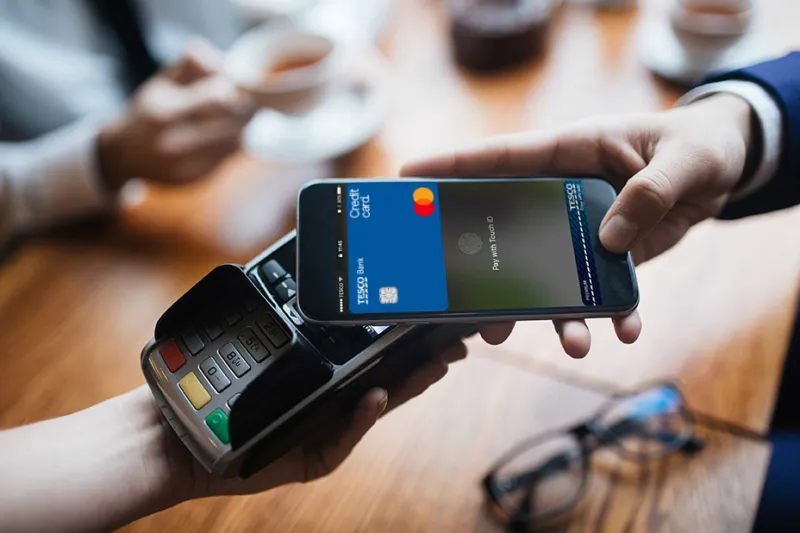
Photo: mobile payment app digital wallet smartphone contactless pay, via forrit-one-tb-prod-p1-consumables.azureedge.net
Let's be honest: most of us didn't sit down and choose a payment app. We downloaded Venmo because a friend asked us to split a check. We set up Apple Pay because it popped up during checkout. We have PayPal because it's been there since the dial-up era. And now we've got three or four of these things on our phones, and we're not totally sure which one to trust with, say, a $600 rent payment.
That's worth thinking about more carefully. Because while tapping your phone at the register feels effortless, there's a lot going on under the hood — and the differences between these platforms can have real consequences for your financial security and your wallet.
The Players on the Field
For US consumers, the landscape of mobile payment apps roughly breaks into a few camps:
Apple Pay and Google Pay sit in the "tap-to-pay" category — they're designed primarily for in-store and in-app purchases and lean heavily on your existing debit or credit cards. They don't hold your money; they just pass it along.
PayPal and Venmo are peer-to-peer (P2P) platforms that also function as digital accounts. They can hold a balance, send money to friends, and process purchases at millions of merchants. Venmo is owned by PayPal, which surprises people — they share infrastructure but feel very different in practice.
Cash App (from Block, formerly Square) is another P2P option that has evolved into something closer to a neobank, offering a debit card, investing, and even Bitcoin purchases.
Emerging fintech apps like Zelle — which operates through your bank directly — and newer players like Chime or Current blur the line between payment app and full banking service.
Security: Where the Real Differences Show Up
This is the big one, and it's where people tend to get surprised.
Apple Pay and Google Pay are arguably the most secure options for in-person and online purchases. Neither platform stores your actual card number — instead, they use a device-specific token (called a virtual account number) for each transaction. Even if a merchant's system gets breached, your real card info stays protected. Biometric authentication (Face ID, fingerprint) adds another layer. These platforms also benefit from the fraud protections of whatever underlying card you link to them.
PayPal has a solid track record and offers a formal Purchase Protection program for eligible transactions — meaning if something goes wrong with a purchase, you have a path to dispute it. That's meaningful. However, PayPal accounts have historically been targets for phishing and account takeover attacks, so strong, unique passwords and two-factor authentication are non-negotiable here.
Venmo is where things get more complicated. It's great for splitting pizza with roommates. It is emphatically not designed for transactions with strangers or for anything where you might need to dispute a charge. Venmo payments to non-business accounts are generally not covered by buyer protection. And the social feed feature — which broadcasts your payment activity publicly by default — is a privacy quirk that trips people up constantly. Check your privacy settings before you do anything else.
Zelle deserves special attention because it's deeply integrated with major US banks (Chase, Bank of America, Wells Fargo, and dozens more). Transfers are nearly instant and go directly between bank accounts. The catch? Zelle offers almost no fraud protection for authorized transactions. If you get scammed — and Zelle scams are increasingly common — you are very likely on your own. The speed that makes it convenient is also what makes it high-risk for anything outside of people you genuinely trust.
Cash App falls somewhere in the middle. It has added more security features over the years, but it remains a frequent target for scams, particularly among younger users. The company has faced scrutiny over fraud response times.
Fees: The Fine Print That Adds Up
For everyday use, most of these apps are free — with asterisks.
- Apple Pay / Google Pay: No fees for consumers. You're using your card's existing fee structure.
- PayPal: Free for personal transfers funded by bank account or PayPal balance. Credit card-funded personal transfers cost 2.9% + a fixed fee. Business transactions have their own fee tiers.
- Venmo: Free for standard bank-funded transfers. Instant transfers to your bank? 1.75% (minimum $0.25, maximum $25). Sending via credit card costs 3%.
- Cash App: Free standard deposits (1-3 business days). Instant deposits cost 0.5%–1.75%. Sending money via credit card costs 3%.
- Zelle: Completely free. No fees at all — which is part of its appeal.
Matching the App to the Situation
Here's a practical framework for how to think about which app to reach for:
At a store or restaurant: Apple Pay or Google Pay, full stop. The tokenization security and fraud protection of your linked credit card make this the safest option for everyday spending.
Splitting costs with friends you know: Venmo or Zelle work well here. Venmo is more social and app-forward; Zelle is faster and more bank-native. Just don't leave balances sitting in either one.
Buying something online from an established merchant: PayPal's purchase protection gives you a meaningful safety net. Worth using when it's available.
Paying a stranger (marketplace purchase, Craigslist, etc.): Be extremely cautious with any of these apps. If you must, PayPal's Goods & Services option offers some protection. Avoid Zelle and Venmo entirely in this scenario.
Recurring bills or larger transfers: Zelle is fast and free, but only use it with people or businesses you completely trust. For anything significant, a direct bank transfer is still the safest option.
The Bottom Line on Digital Wallet Trust
There's no single "best" payment app — there's the right app for the right moment. The mistake most people make is defaulting to one platform for everything, regardless of context.
The healthier approach is to think of these tools the way you'd think about physical cards: your credit card for purchases where you want protection, your debit card for everyday spending, cash for situations where digital trails don't make sense. Digital wallets follow similar logic.
Keep your payment app balances low or at zero — these aren't savings accounts, and they don't carry FDIC insurance the way your bank does. Enable every security feature available. And if something feels off about a transaction, trust that instinct.
Your phone can absolutely be a powerful financial tool. Just make sure you're the one calling the shots.