Pick a Side — Or Don't: How to Build a Multi-Platform Setup That Actually Works for You
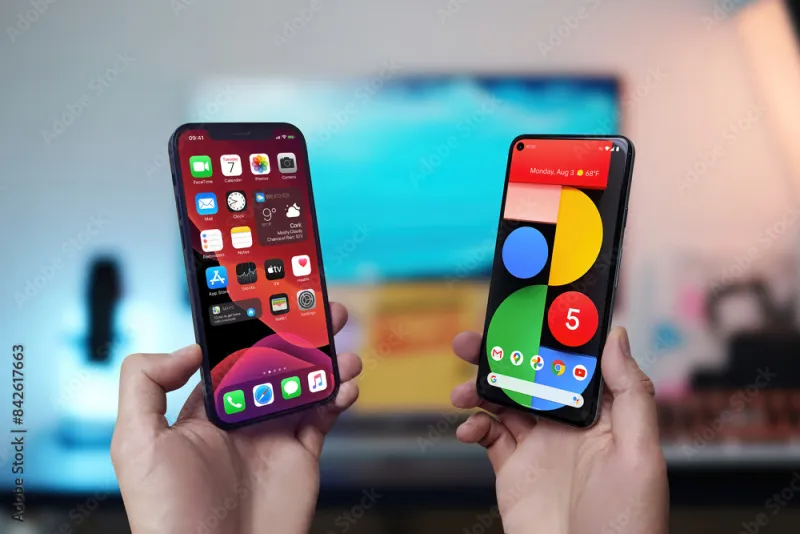
Photo: iPhone Android smartphone comparison side by side productivity, via as1.ftcdn.net
Every few months, the internet relitigates the same argument: iPhone vs. Android. Blue bubbles vs. green. Walled garden vs. open ecosystem. And every time, the discourse generates a lot of heat and very little useful guidance for people who just want their tech to work.
Here's the thing — the platform you use matters a lot less than how you use it. And increasingly, the most interesting question isn't "which platform is better?" It's "how do I build a setup that actually fits my life, my budget, and my workflow — without getting trapped?"
Let's get into it.
First, Understand What Ecosystem Lock-In Actually Means
Before you can outsmart the lock-in, you need to understand what it is. Platform lock-in happens when your apps, data, and habits become so deeply tied to one ecosystem that switching feels impossibly painful. Apple is exceptionally good at this — iMessage, AirDrop, Handoff, iCloud, and the Apple Watch all work together in ways that feel magical right up until you want to leave.
Google's ecosystem does something similar, but the approach is different. Rather than hardware-first integration, Google bets on services: Gmail, Google Drive, Google Photos, Maps, Calendar. These work well across platforms, which is actually part of the strategy — it means Android users can switch to iPhone without losing their Google life, keeping them invested in Google's revenue-generating services regardless of device.
Neither approach is inherently bad. But knowing which type of lock-in you're signing up for helps you make smarter choices — and plan escape routes if you ever need them.
The Creator's Dilemma
If you're a content creator — YouTubers, podcasters, graphic designers, social media managers — your platform choice is probably shaped by one thing: your primary editing tool.
For video and photo work, iOS has historically had a stronger mobile editing ecosystem. Apps like LumaFusion, Darkroom, and Procreate are either iOS-exclusive or significantly more polished on iPad. If your workflow involves shooting on your phone and editing on the go, the iPhone + iPad combo is legitimately hard to beat.
That said, Android has closed the gap considerably. Samsung's Galaxy S series produces stunning video, and apps like CapCut and Adobe's mobile suite run beautifully on flagship Android hardware. If you're already in the Google ecosystem and use YouTube Studio, Google Drive for collaboration, and Chrome for research, Android may actually create less friction in your day-to-day.
The practical advice here: don't switch platforms for a single app. Instead, identify your three most-used creative tools and check which platform they run best on. That's your answer.
Professionals and the Calendar-Email-Docs Triangle
For professionals — think project managers, consultants, salespeople, anyone whose phone is essentially a second office — the real question is how well your mobile setup integrates with your work tools.
Microsoft 365 users will find that both iOS and Android offer excellent Office app experiences. Same goes for Slack, Zoom, Salesforce, and most enterprise software. Neither platform has a meaningful edge here anymore.
Where things get interesting is in the details. iPhone's tight integration with Mac (Universal Clipboard, Sidecar, Continuity Camera) is genuinely useful if you're already on macOS. But if your work laptop is a Windows machine or a Chromebook, that advantage evaporates. A Pixel phone with a Windows PC is actually a pretty seamless combo thanks to the Phone Link app from Microsoft — you can mirror your Android screen, send texts, and transfer files right from your desktop.
Bottom line for professionals: match your phone's ecosystem to your laptop's ecosystem whenever possible. That's where you'll feel the most day-to-day benefit.
Casual Users: Stop Overthinking This
If you mainly use your phone for texting, social media, streaming, and the occasional Google search — honestly? Both platforms are excellent. The gap between a $400 Android phone and an iPhone SE in terms of everyday usability is smaller than the marketing would have you believe.
For budget-conscious casual users, Android has a genuine advantage: the price range is enormous. You can get a solid, capable smartphone experience for $200-$300 from brands like Google's Pixel A-series or Samsung's A-series. iPhones don't really compete at that price point.
If budget isn't a concern and you're already in the Apple ecosystem (MacBook, iPad, AirPods), just stay there. The integration perks are real. But if you're starting fresh with no existing ecosystem investment, Android gives you more flexibility at every price point.
Gamers: The Platform Answer You Didn't Expect
Mobile gaming is its own beast, and here the calculus is surprisingly nuanced. iOS has historically gotten premium game releases first — titles like Monument Valley, Alto's Odyssey, and many Apple Arcade exclusives landed on iPhone before anywhere else. Apple Arcade ($6.99/month) is a legitimately solid value for casual to mid-core gamers who want premium experiences without ads or in-app purchases.
Android, meanwhile, has Google Play Pass (also $4.99/month) and a more open sideloading environment — which matters if you're into emulation or niche gaming apps that wouldn't survive App Store review.
For serious mobile gamers, the hardware matters more than the OS. The iPhone 16 Pro and Samsung Galaxy S25 Ultra are both exceptional gaming devices. The real differentiator is controller support and game streaming: both Xbox Game Pass Ultimate and NVIDIA GeForce NOW work on both platforms, so cloud gaming largely neutralizes the exclusivity gap.
Cross-Platform Apps That Make Hybrid Setups Viable
If you're running a mixed household — maybe you're on Android and your partner is on iPhone — or you're carrying a work phone and a personal phone on different platforms, a few apps make the chaos manageable:
- Google Photos: Free cloud backup and sharing that works equally well on both platforms. A must-have for cross-platform photo management.
- Notion: Notes, docs, databases, and project management in one app that syncs perfectly across iOS, Android, Mac, and Windows.
- 1Password: Password management that doesn't care what device you're on.
- Spotify: Playlists, podcasts, and preferences follow you everywhere.
- Telegram or Signal: Messaging that works across platforms without the iMessage/green bubble drama.
Building your core workflow around cross-platform apps is the single best thing you can do to reduce lock-in anxiety and future-proof your setup.
The One Rule That Ties It All Together
Here's the framework that cuts through all the noise: optimize for your most painful friction point, not your aspirational use case.
Most people buy phones based on specs they'll never fully use or features that look great in reviews but rarely come up in daily life. Instead, think about the one thing that annoys you most about your current setup. Is it syncing photos between devices? Battery anxiety? Collaboration with coworkers? The app that only exists on the other platform?
Solve that problem first. The rest is noise.
Platform loyalty is a marketing construct. Your workflow is real. Build around that, and you'll spend less, stress less, and actually enjoy your tech more.