Why You Can't Bring Yourself to Delete That App You Haven't Opened in Two Years
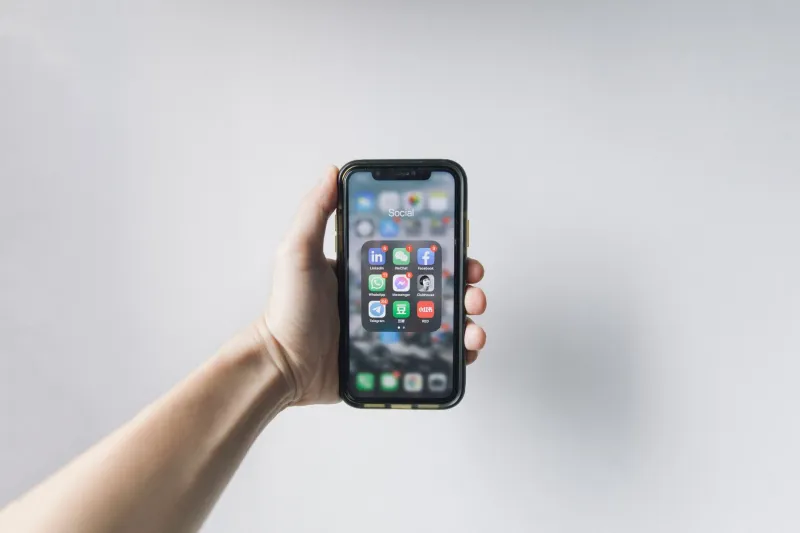
Scroll through your phone right now. Go ahead. Buried somewhere in the fourth or fifth page of apps — or maybe tucked inside a folder you haven't opened since the Obama administration — there's probably a graveyard. Fitness apps from New Year's resolutions that didn't survive February. A food delivery service from a city you no longer live in. That one meditation app you used exactly three times.
You know they're dead. You know you should delete them. And yet, somehow, they're still there.
This isn't just laziness. There's real psychology and some surprisingly thorny technical stuff going on beneath the surface. Let's dig into why clearing out your app collection feels way harder than it should — and what you can actually do about it.
Your Brain Is Running a Con on You
The biggest culprit here is something behavioral economists call the sunk cost fallacy. You paid $4.99 for that recipe app two years ago. You used it maybe four times. But deleting it feels like admitting you wasted that money — even though the $4.99 is gone regardless of whether the app stays on your phone or not.
Keeping the app doesn't get your money back. It just makes you feel slightly less like you made a bad call. Your brain is essentially lying to you, and your phone's storage is paying the price.
There's also something called loss aversion at play. Psychologically, losing something feels about twice as bad as gaining something of equal value feels good. Deleting an app — even one you don't use — registers in your brain as a loss. That's uncomfortable. So you procrastinate, and the app squats on your home screen indefinitely.
And then there's pure identity attachment. Some apps represent a version of yourself you're not ready to give up on. The running tracker means you're still a person who runs, even if you haven't laced up in eight months. The language learning app means you still plan to learn Spanish. Deleting it feels like closing a door on a future self. That's a heavy thing to do over a 47MB file.
The "What If I Need It" Spiral
Beyond the emotional stuff, there's a very practical anxiety that keeps apps alive long past their usefulness: the fear of needing them again.
This fear is especially acute for apps that were genuinely useful once. A travel app you relied on for a big trip. A tax prep tool you used last April. A healthcare portal from a doctor you no longer see. The logic goes: I needed this before, so I might need it again, and re-downloading it would be such a hassle.
Except — and this is worth saying plainly — re-downloading most apps takes about 30 seconds on a decent connection. The App Store and Google Play both keep your purchase history. Your data is almost certainly backed up to the cloud. The friction of getting an app back is genuinely minimal, but our brains inflate it into this huge obstacle.
Cloud Sync Confusion Makes It Worse
Speaking of the cloud: one of the legit technical anxieties around deleting apps is the murky question of what happens to your data.
For some apps, the answer is completely clear — your data lives on their servers, tied to your account, and will be there when you reinstall. For others, it's genuinely unclear. Certain apps store data locally on your device, and deleting the app means deleting that data permanently. Some fitness apps, journaling tools, and niche productivity apps fall into this category.
The problem is that most apps don't make this obvious. You'd have to dig through settings menus, read support documentation, or just hope for the best. That uncertainty is a real barrier. Nobody wants to delete three years of workout logs by accident.
Before you delete anything you're unsure about, spend two minutes checking whether the app has a cloud sync or export function. Most reputable apps — think MyFitnessPal, Day One, or Headspace — let you export your data or guarantee it's stored server-side. If an app can't tell you where your data lives, that's actually a red flag about the app itself, not a reason to keep it installed.
The Notification Guilt Loop
Here's a sneaky one: some apps keep themselves alive through sheer persistence. They send you a push notification, you feel vaguely guilty for ignoring it, and suddenly the app feels active even though you haven't opened it intentionally in months.
This is a deliberate retention strategy. App developers know that out of sight means out of mind — and out of mind means uninstalled. So they ping you just enough to maintain a presence without annoying you into deleting them outright. It works surprisingly well.
If an app is surviving on your phone primarily because it keeps reminding you it exists, that's a sign it's not actually serving you. Turn off its notifications. Give it 30 days. If you don't open it once during that window, it's time.
A Practical Framework for Finally Letting Go
Okay, so how do you actually do this? A few approaches that cut through the psychological noise:
The 90-Day Rule. If you haven't opened an app in 90 days and you can't name a specific upcoming reason you will, it goes. No negotiating. Both iPhone and Android can show you last-used dates in storage settings — use them.
Export First, Delete Second. For any app where you're genuinely unsure about data, spend five minutes exporting or backing up before you delete. Most apps have this option buried in settings. Once you've got the data somewhere safe, the anxiety disappears.
Kill the Sunk Cost Story. Remind yourself, out loud if you need to: the money is already spent. The app staying on your phone doesn't change that. You're not honoring a purchase by keeping an app — you're just cluttering your digital life.
Batch It. Deleting apps one at a time, whenever you happen to notice them, is exhausting and inefficient. Set aside 20 minutes once a quarter for a real audit. Go category by category — productivity, health, food, entertainment — and make decisions in bulk. It's much easier to be ruthless when you're in cleanup mode.
Reframe Deletion as Possibility. Every app you delete frees up space — not just storage space, but mental space. A cluttered app library is cognitive noise. Every time you scroll past an app you feel vaguely guilty about not using, that's a tiny tax on your attention. Clearing it out isn't loss. It's decluttering.
Your Phone Should Work for You
At the end of the day, your phone is a tool. The apps on it should be earning their spot — actively helping you do something, learn something, or enjoy something. An app that just sits there, collecting digital dust while triggering occasional guilt, isn't serving you. It's just taking up space and maybe a little piece of your mental real estate too.
The good news is that letting go gets easier once you start. Delete one app you know you'll never use again. Notice that nothing bad happens. Then do it again. Before long, your phone actually reflects your life as it is now — not the version of yourself you were two years ago when you downloaded a sourdough recipe app during a pandemic-induced hobby phase.
That's a phone worth carrying around.