Paying for Apps You Forgot You Had: The Real Dollar Cost of a Cluttered Phone
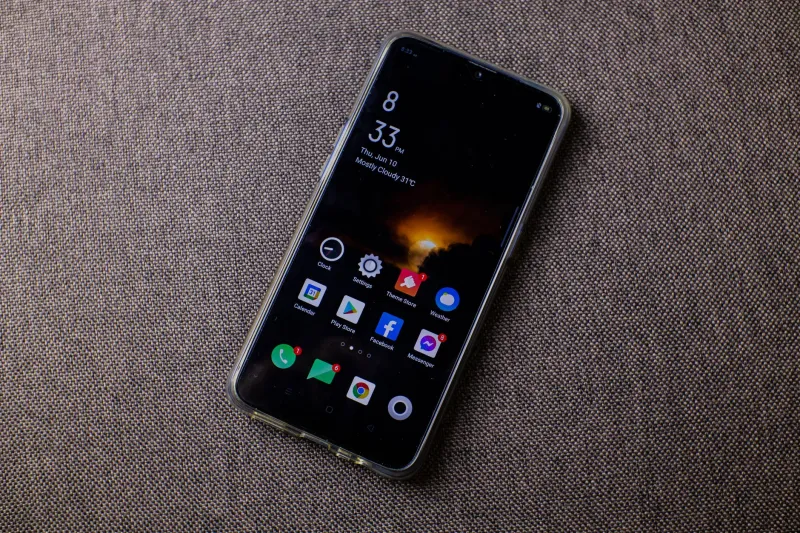
Open your app library right now. Scroll past the stuff you use every day — the maps, the banking app, the group chat. Keep scrolling. At some point you'll hit a stretch of icons you genuinely cannot explain. A fitness tracker from 2021. A QR code scanner you downloaded at a conference. Something called "Colorize" that you have no memory of installing.
Those apps aren't just sitting there doing nothing. They're doing quite a bit, actually — and most of it is costing you money.
The Myth of the Harmless Dormant App
There's a common assumption that unused apps are essentially inert. If you're not opening them, they can't be doing anything, right? That's not how mobile operating systems work, and it's a misconception that quietly bleeds people dry over time.
Many apps — particularly those built around social features, location services, or content updates — are designed to run background processes even when you haven't touched them in months. They ping servers, check for notifications, refresh cached data, and request location updates. iOS and Android both have mechanisms to limit this behavior, but they're imperfect, and older or poorly coded apps often slip through the cracks.
The result is a slow, invisible drain on two things that directly affect your wallet: your battery and your data plan.
Background Drain: The Battery Math Nobody Does
Battery degradation is one of those things that happens so gradually you barely notice until one day your phone barely makes it to lunch. Lithium-ion batteries — the kind in every smartphone sold in the US — have a finite number of charge cycles before their capacity starts to drop. Apple considers a battery "consumed" after around 500 full cycles. Android phones vary, but the principle is the same.
Every unnecessary background process burns a little power. A little power means more frequent charging. More frequent charging burns through those cycles faster. Faster degradation means you're either buying a replacement battery (around $50–$100 at most repair shops) or replacing the phone entirely years sooner than you should have to.
The average American keeps a smartphone for about three years. If a cluttered app ecosystem shaves even six months off that lifespan — a conservative estimate based on battery wear patterns — you're looking at absorbing hundreds of dollars in replacement cost ahead of schedule. Spread that across the price of a modern flagship and the math gets uncomfortable fast.
Data Overages and Background Refresh
If you're on an unlimited plan, you might think data usage is irrelevant. But most "unlimited" plans in the US throttle speeds after you hit a certain threshold — typically somewhere between 30GB and 100GB depending on your carrier and tier. Background app refresh is a sneaky contributor to hitting that ceiling.
Apps that sync content — news aggregators, social platforms, cloud storage tools — can collectively consume several gigabytes per month just keeping themselves up to date in the background. If you're on a more limited plan (still common among budget carriers and family plan add-ons), those gigabytes translate directly into overage fees or throttled speeds that push you toward a pricier tier.
A 2023 analysis by mobile analytics firm Sensor Tower found that the average US smartphone user has around 80 apps installed but regularly uses fewer than 10. That gap — 70-plus apps sitting mostly idle — represents a substantial background data load that most people have never audited.
The Security Cost Nobody Talks About
Here's the angle that tends to get people's attention once they hear it: abandoned apps are a security liability that can cost real money.
Developers stop updating apps all the time. A company pivots, runs out of funding, or simply loses interest in maintaining a product. When updates stop, security patches stop too. An app that hasn't been touched by its developer in 18 months is running on outdated code with known vulnerabilities — and it still has whatever permissions you granted it when you installed it.
That could mean access to your contacts, your camera, your location, or your stored credentials. Malicious actors specifically target abandoned apps because they know the attack surface isn't being maintained. In 2022, the FTC reported a significant uptick in account takeovers tied to compromised third-party apps — many of them obscure utilities that users had completely forgotten about.
Identity theft and account fraud carry their own financial devastation: disputed charges, frozen accounts, credit monitoring services, and in serious cases, legal fees. Treating your app library as a security perimeter isn't paranoia — it's basic financial self-defense.
How to Identify Your Highest-Risk Dead Weight
Not all dormant apps are equally dangerous or costly. Here's a practical framework for figuring out which ones deserve immediate attention:
Check last-updated dates. On iOS, go to the App Store and search for any app you're questioning. The product page will show the last update. If it's been over a year, that's a flag. Over two years is a serious red flag. On Android, the Play Store shows similar information under "App info."
Audit permissions against usage. Go into your phone's privacy settings and look at which apps have access to your location, microphone, camera, and contacts. If an app you haven't opened since the Biden administration's first year is still reading your location data, that's a problem you can solve in about four seconds.
Review battery usage by app. Both iOS (Settings > Battery) and Android (Settings > Battery > Battery Usage) show you which apps are consuming power in the background. Any app appearing on that list that you don't actively use is a candidate for deletion.
Look at storage consumption. Go to your phone's storage settings and sort apps by size. You'll likely find at least a few surprises — apps that have ballooned with cached data over time, consuming space you could use for photos, music, or literally anything else.
A Deletion Framework That Actually Sticks
Most phone decluttering advice sounds great and gets abandoned by Tuesday. The reason is that it asks you to make a bunch of judgment calls at once, which is mentally exhausting. Instead, try a tiered approach:
Immediate deletions: Any app you haven't opened in over a year that has broad permissions (location, contacts, camera). No exceptions. These are your highest-risk, lowest-value apps.
Review in 30 days: Apps you haven't used in 6–12 months but feel vaguely attached to. Move them to a folder labeled "Decide" and set a calendar reminder. If you haven't opened them in 30 more days, they're gone.
Keep but restrict: Apps you use occasionally but don't need running in the background. Revoke background refresh and location permissions. Let them exist, but on your terms.
The goal isn't a minimalist phone aesthetic (though that's a nice side effect). The goal is a phone that costs you less to run, lasts longer before it needs replacing, and doesn't quietly hand your data to developers who stopped caring about security years ago.
The Bottom Line
Your phone is one of the most expensive tools you own. The average American spends over $800 on a new device, then pays for a data plan, possibly device insurance, and eventually a battery replacement or upgrade. Every dollar you can extend the useful life of that device — by reducing unnecessary wear, protecting it from security threats, and managing its resources intelligently — is a dollar you keep.
That graveyard of forgotten apps isn't just clutter. It's overhead. And unlike most overhead, this kind is completely optional.